Pantalla CarPlay para radio original 10,25″ de BMW Serie 1 y otros modelos compatibles · Autotop
198.96€
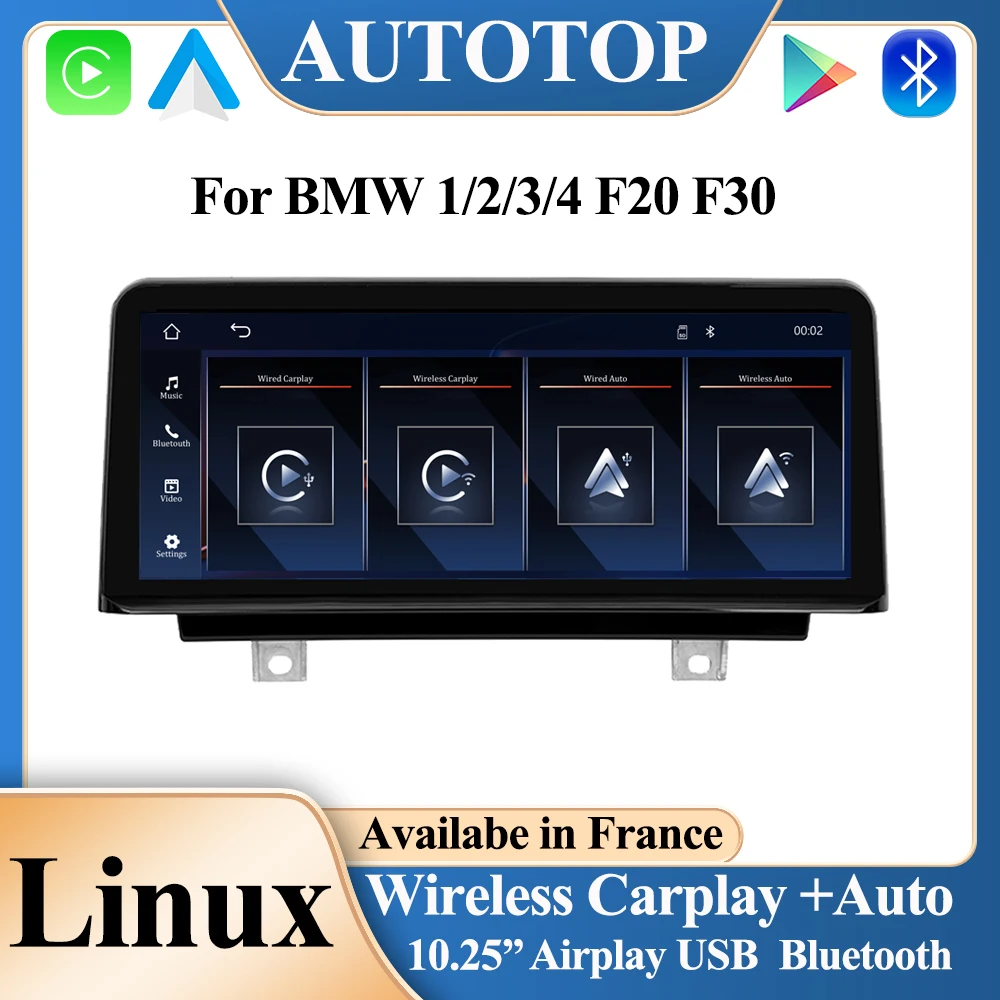
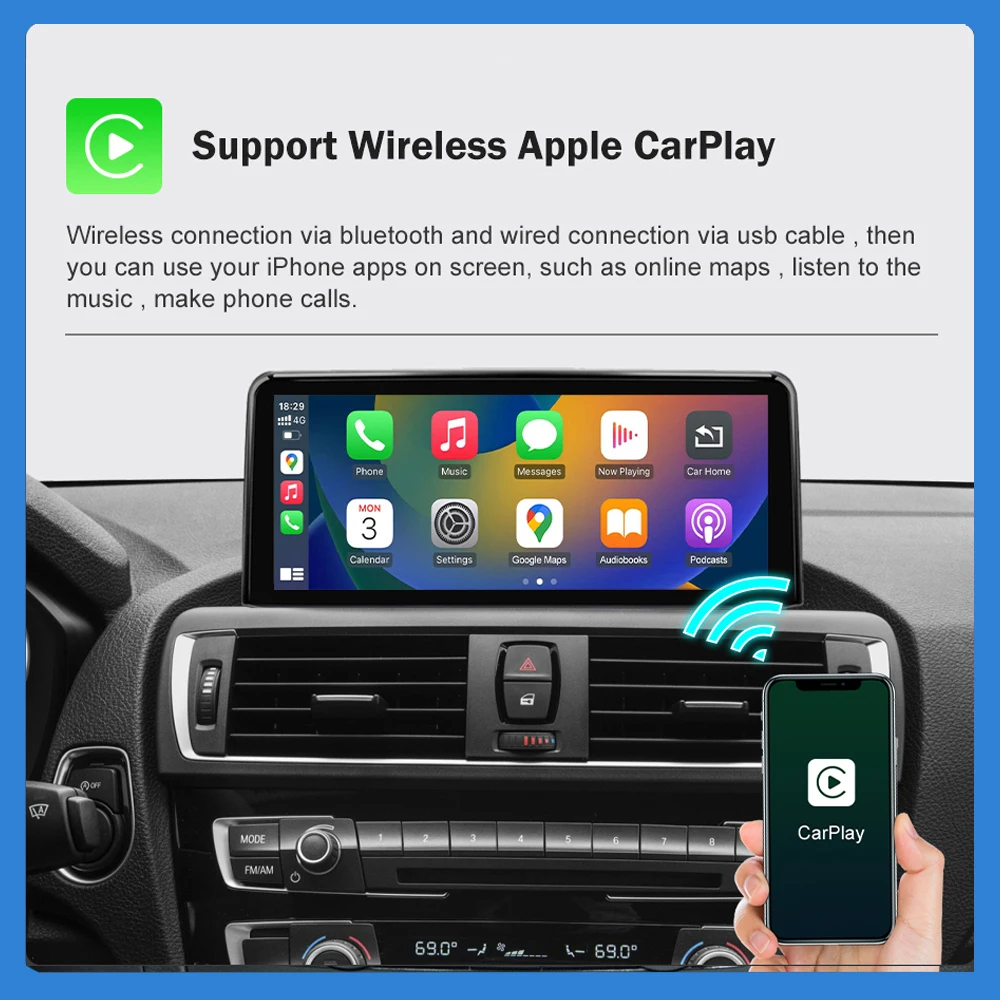
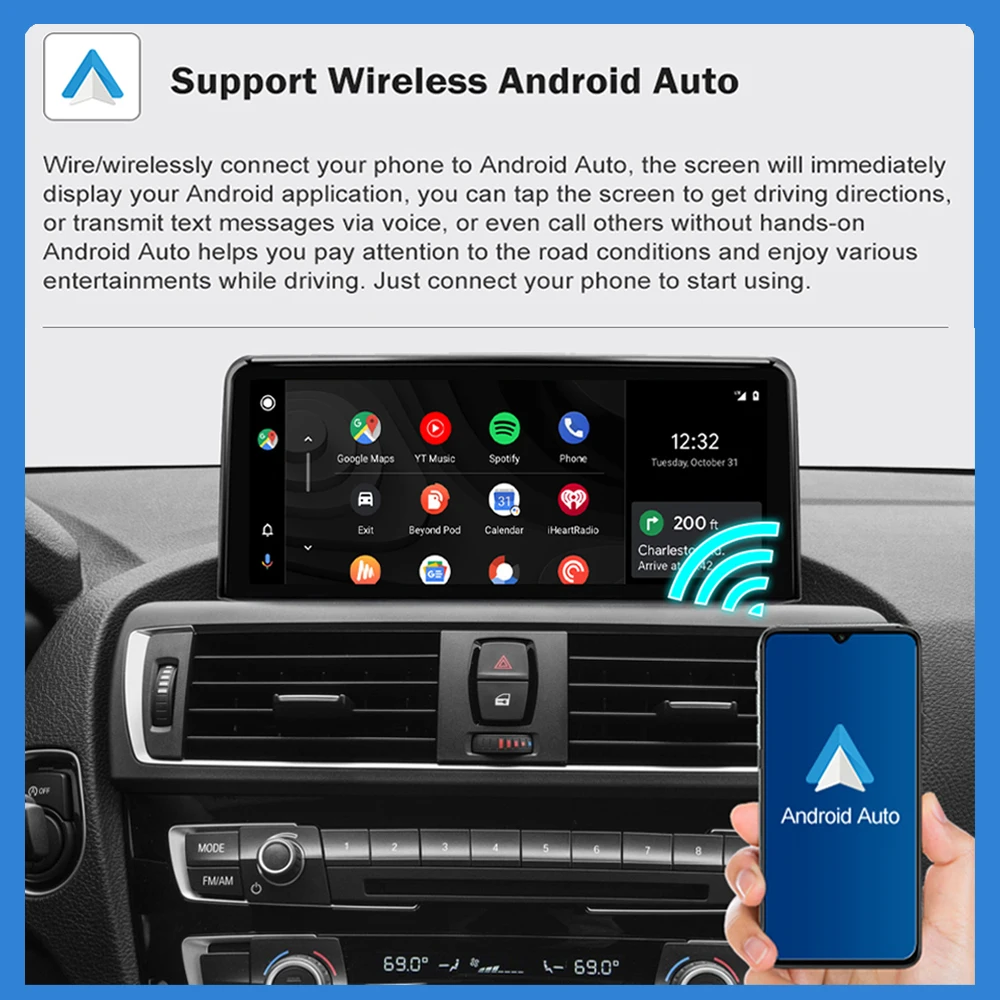
Pantalla CarPlay para radio original 10,25" de BMW Serie 1 y otros modelos compatibles · Autotop. Pantalla multimedia para integrar CarPlay y otras funciones con la radio original de BMW Serie 1 y otros modelos compatibles; comprueba el sistema de fábrica. Pantalla de integración: no se garantiza que sustituya el sintonizador o el módulo de radio de fábrica. Identifica CCC/CIC/NBT/EVO/NTG y el conector antes de elegir.
Descripción
Pantalla CarPlay para radio original para BMW Serie 1 y otros modelos compatibles
Pantalla multimedia para integrar CarPlay y otras funciones con la radio original de BMW Serie 1 y otros modelos compatibles; comprueba el sistema de fábrica.
Características anunciadas
- Diagonal anunciada: 10,25 pulgadas; comprueba las opciones de tamaño del anuncio.
- Marca comercial anunciada: Autotop.
- Apple CarPlay anunciado con conexión inalámbrica; comprueba la conexión de la variante.
- Bluetooth anunciado para funciones compatibles con la unidad elegida.
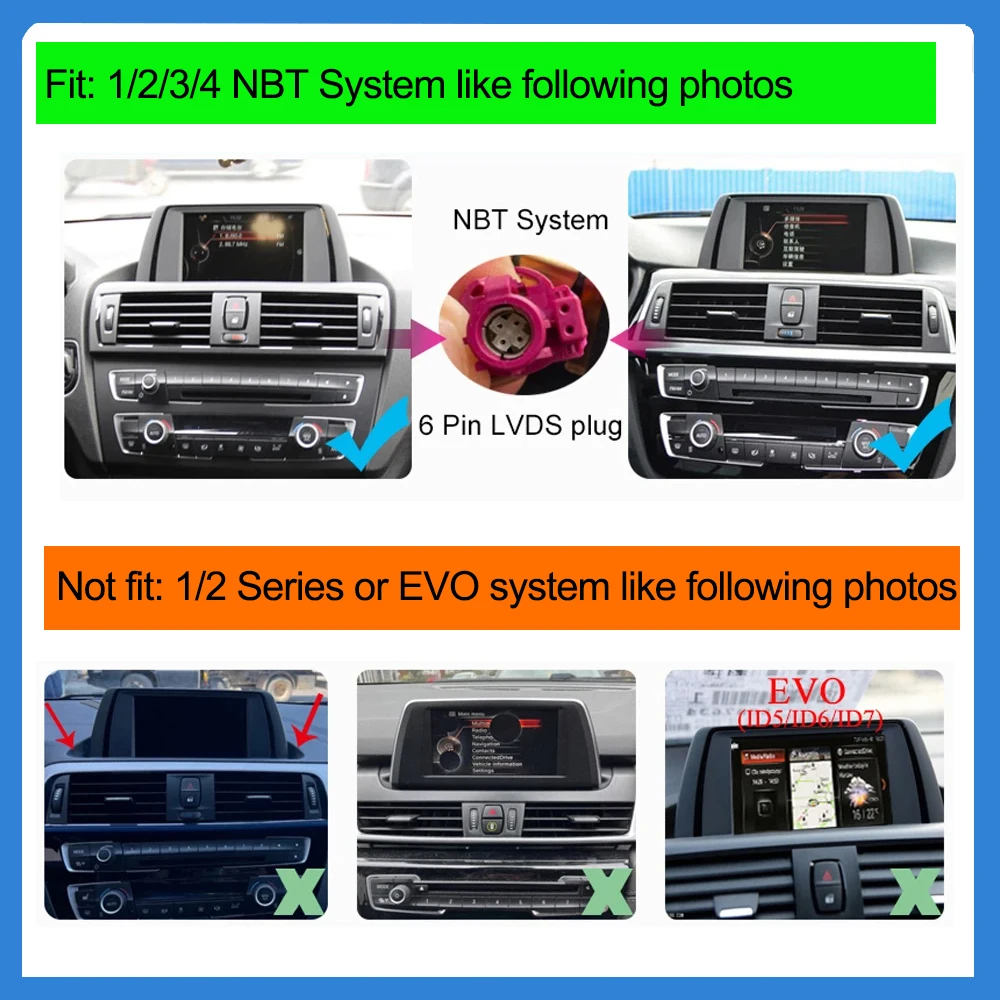
- Sistema original citado: NBT. Debe coincidir con el del vehículo.
- Códigos de vehículo anunciados: F30, F31, F32, F33, F34, F35, F20, F21, F22. Compara la generación exacta.
Compatibilidad y montaje
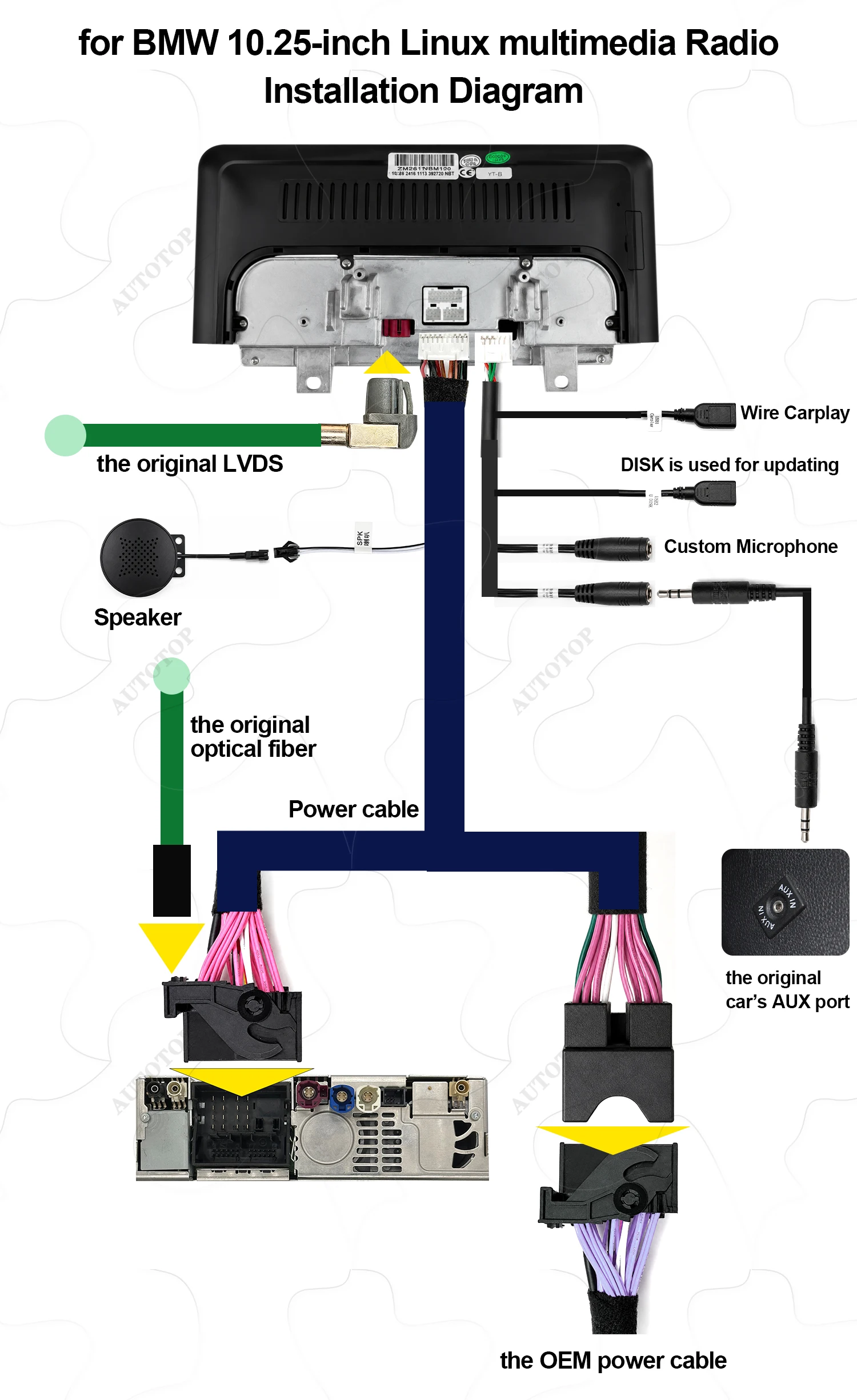
- Comprueba la forma de la consola, la referencia del equipo original y la posición del volante cuando corresponda.
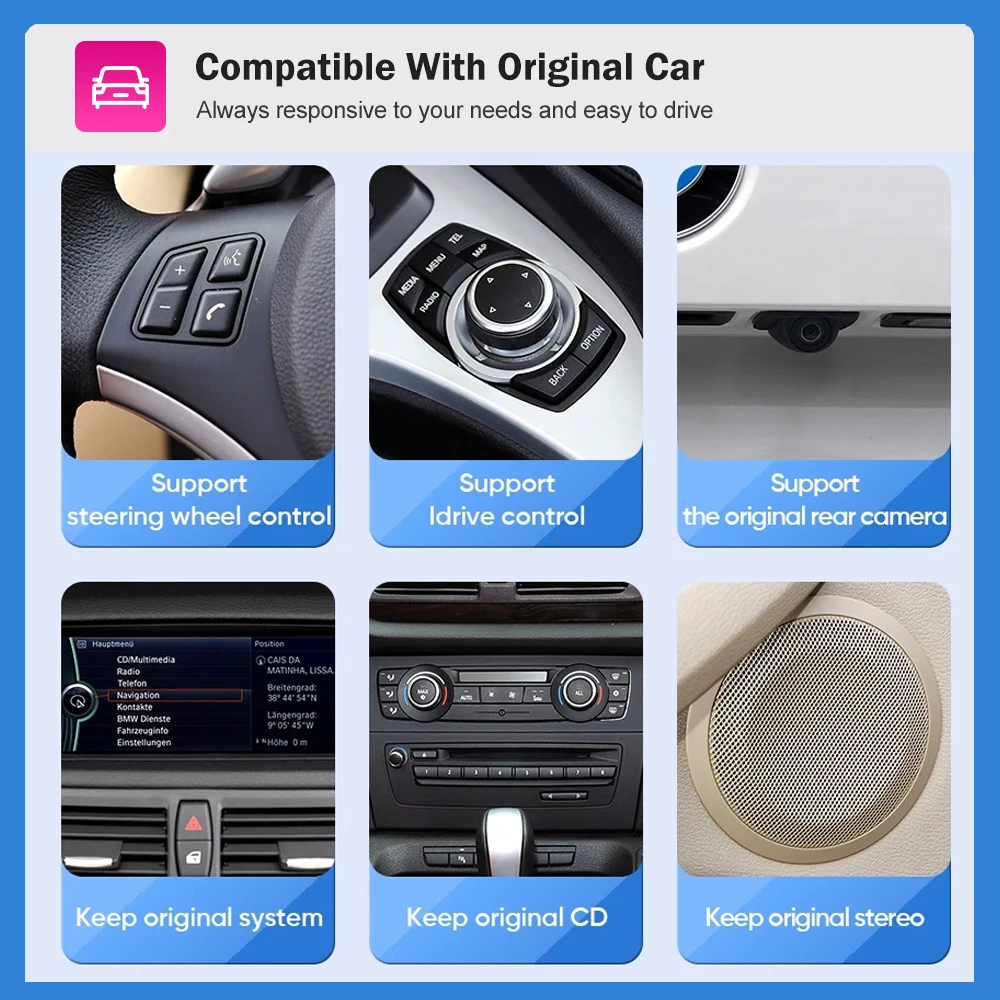
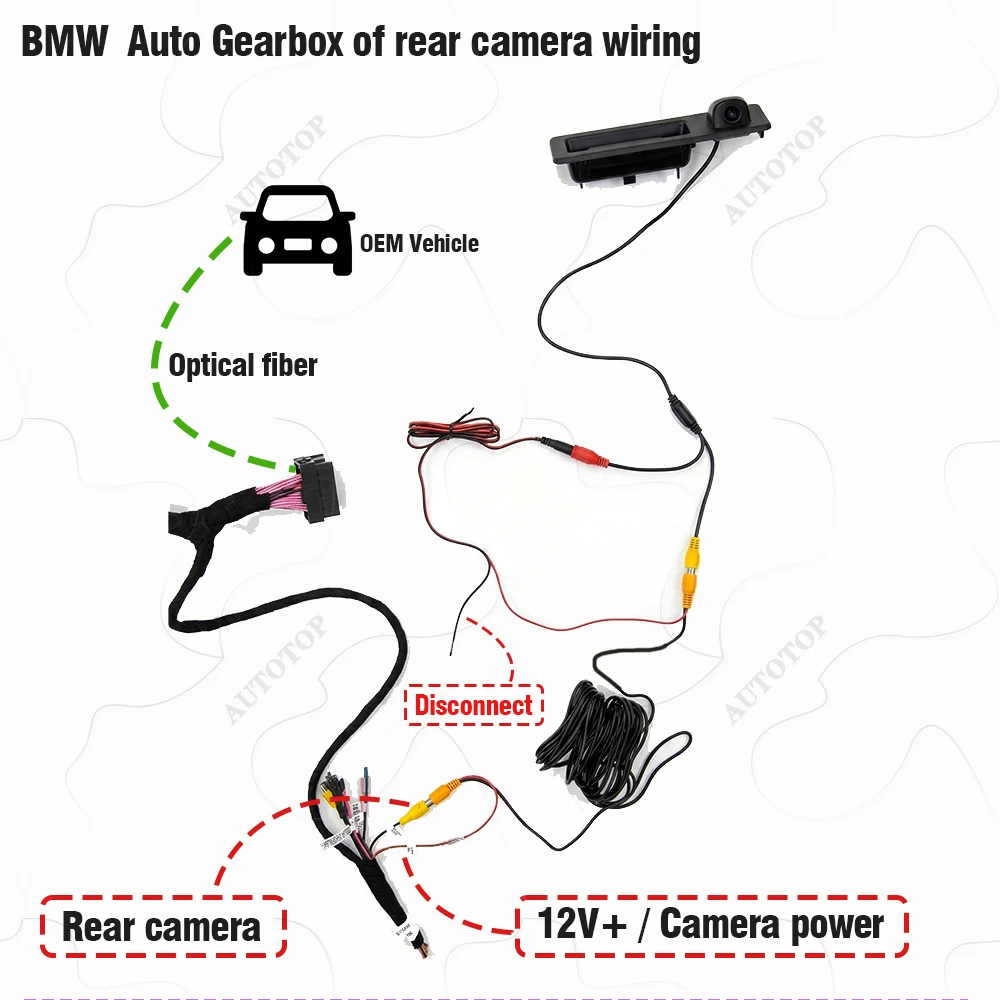
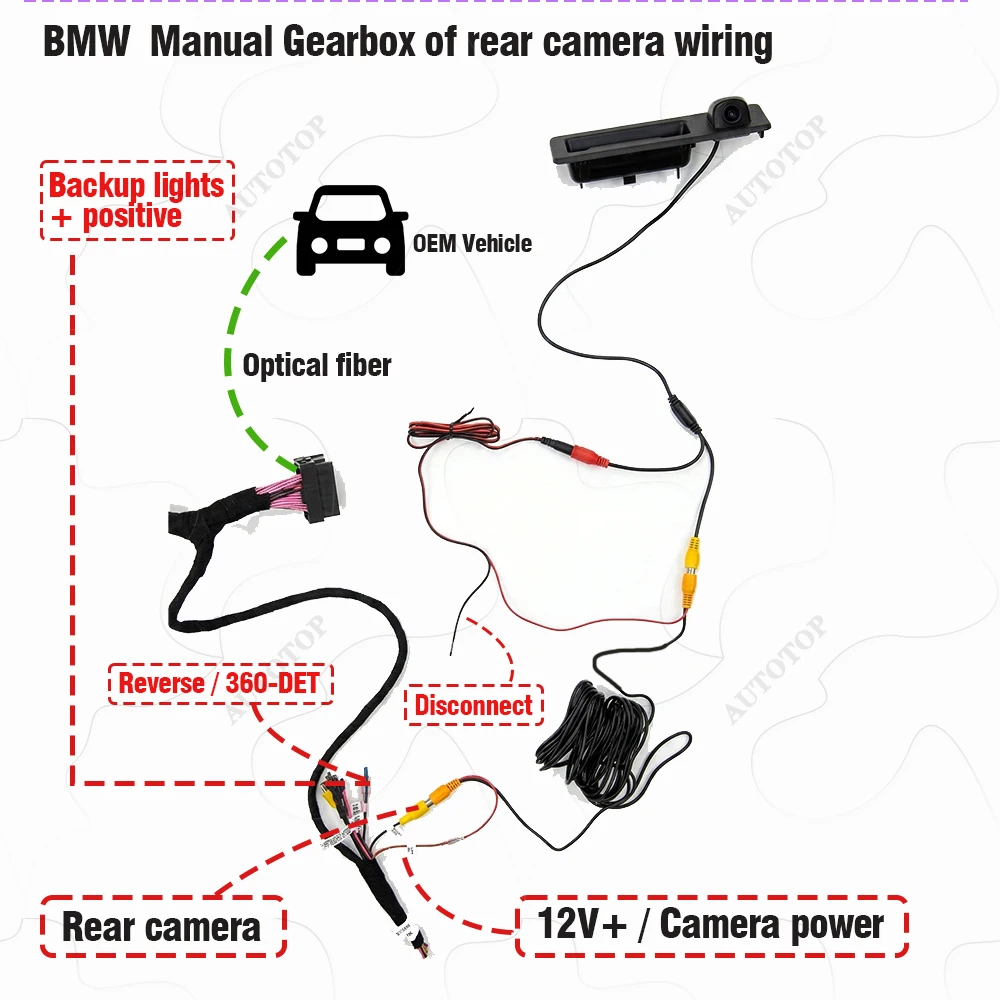
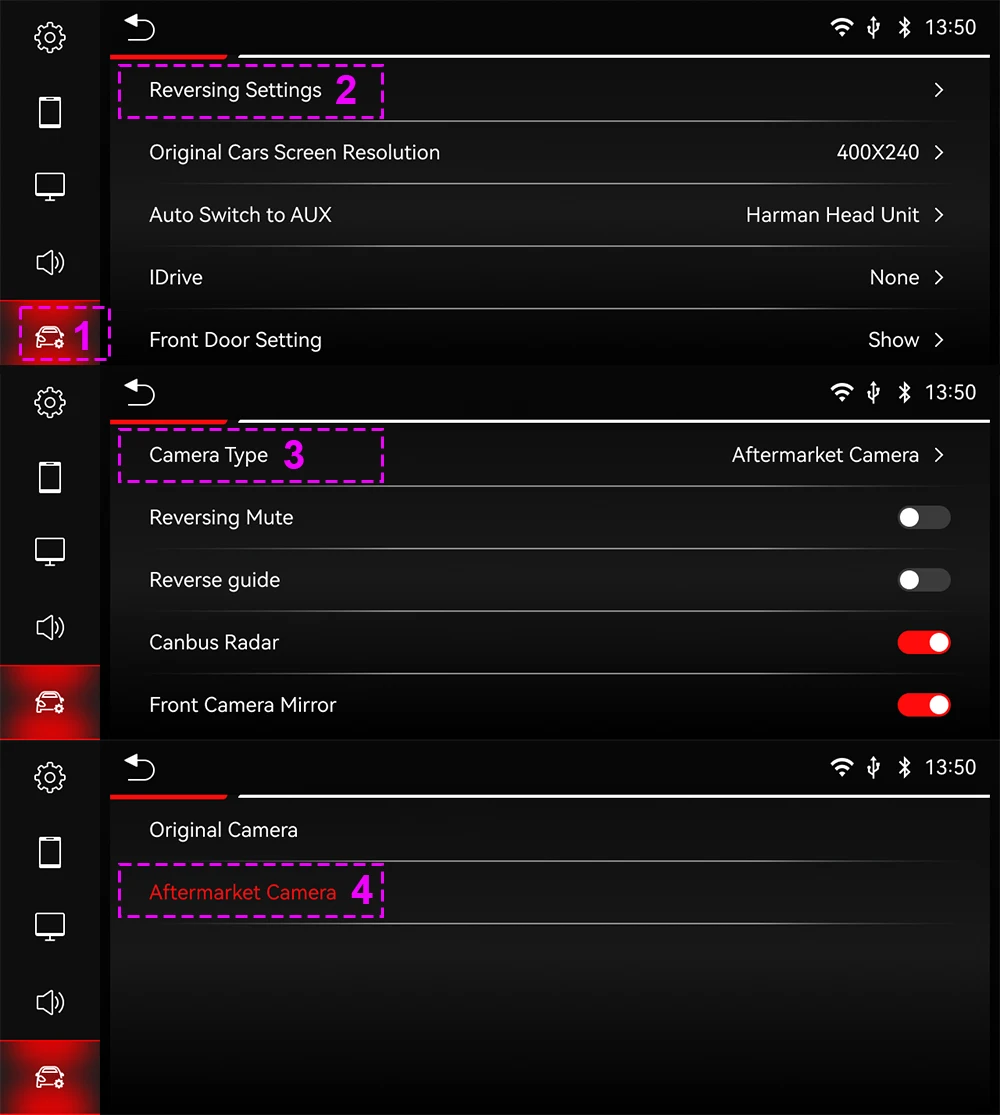
- Verifica conectores, CANBUS, mandos del volante, amplificador, cámara y accesorios antes de comprar.
- La información procede del proveedor y puede variar entre opciones de pantalla, memoria y sistema operativo.
Antes de comprar: Pantalla de integración: no se garantiza que sustituya el sintonizador o el módulo de radio de fábrica. Identifica CCC/CIC/NBT/EVO/NTG y el conector antes de elegir.
Imágenes originales del producto



Información adicional
| Peso | 3.0 kg |
|---|---|
| Dimensiones | 40 × 20 × 20 cm |
| Brand Name | AUTOTOP |
| Display Size | 10.25 |
| Origin | CN(Origen) |
| Din | Doble din |
| RAM | 256 megas |
| Resolution | 1920*720 |
| For Vehicle Brands/Model | bomba de manguera |
| Interface | AUX/USB |
| OSD Language | Chino (simplificado), Chino (tradicional), pulir, alemán, Ruso, Francés, coreano, Portugués, japonés, Tailandés, español, Inglés |
| Out Power | 4*45W |
| Processor Type | Allwinner |
| Max External Memory | 8 gramos |
| Chipset | T133 |
| Category | Electrical Tuner |
| Digital Media Format | archivos de audio digitales, archivo MP4, Mujer, JPEG |
| Is touch screen | SÍ |
| TF/Micro SD Slot | |
| Built-in CD player | no |
| ROM | 2 generación |
| Accessory Type | Power cable, USB Cable, iDrive (Optional) |
| Certification | certificado, FCC, Weee |
| Material | Plastic |
| Special Features | Altavoz/Micrófono Integrado, función wifi, Soporte para Control del Volante, Soporte Can-Bus, GPS integrado, Teléfono móvil, Control por Voz, reproducción en coche, automático del androide, Inversión de Entrada |
| Warranty | 12 Months |
| Built-in Screen | SÍ |
| Item Size | 40*20*20 |
| Preset Station | Use Original Radio |
| Output Type | De color |
| Operating System | Linux |
| Built-in DVD Player | no |
| Item Weight | 3 |
| Voltage | 12 voltios |
| Shipping Channels | We have multiple shipping warehouses around the world, providing local delivery services with the fastest delivery time of 24 hours. |
| Product Warranty Period | One year (excluding damage caused by human error) |
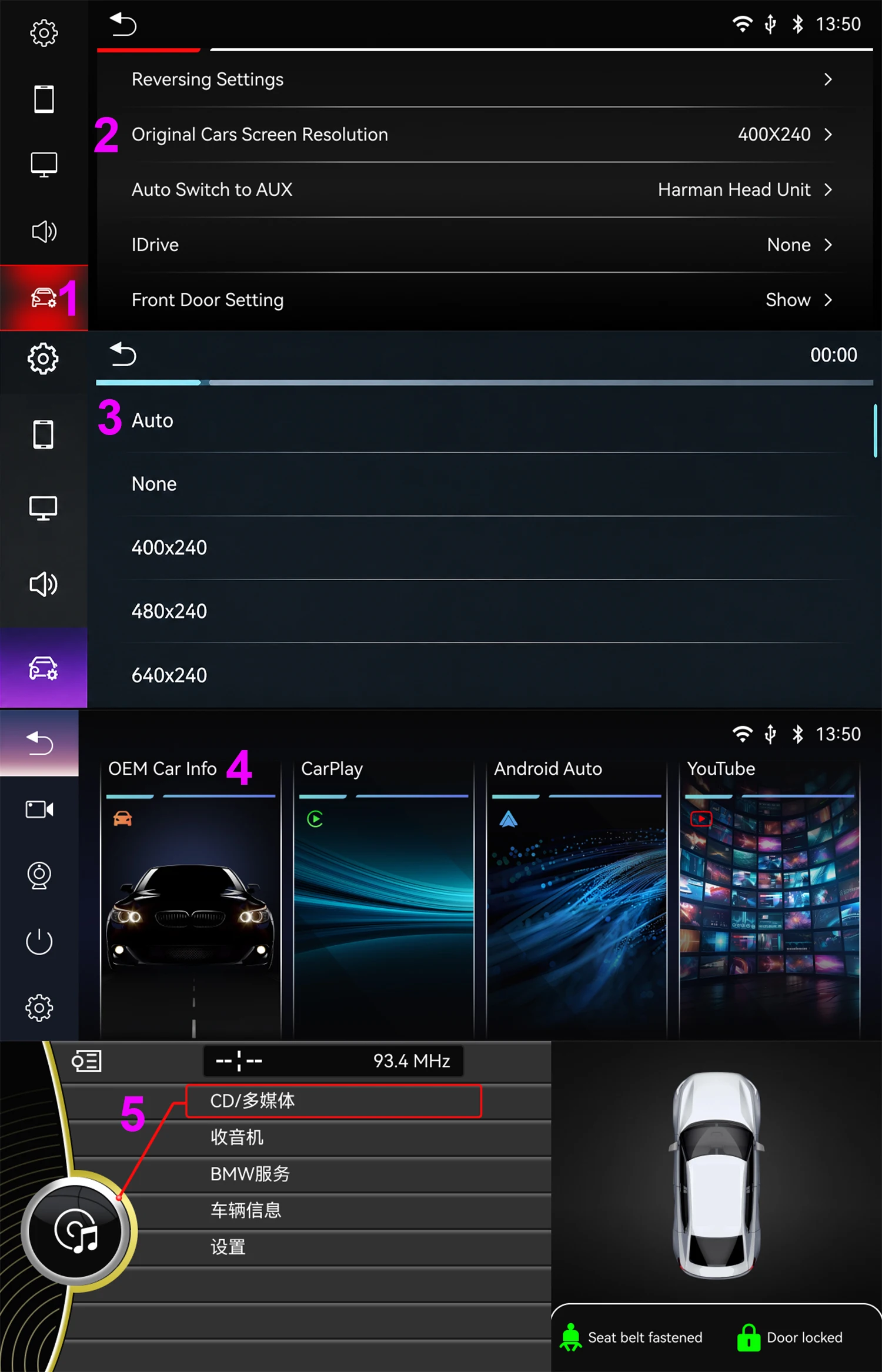
| Upgrade the New Function | Wireless Apple Carplay and Android Auto, Airplay Android mirroring |
| System advantages | There are no unnecessary or complicated applications, and booting up can be completed in 5 seconds. |
| Doesn't support the system menu | CCC, CIC, EVO |
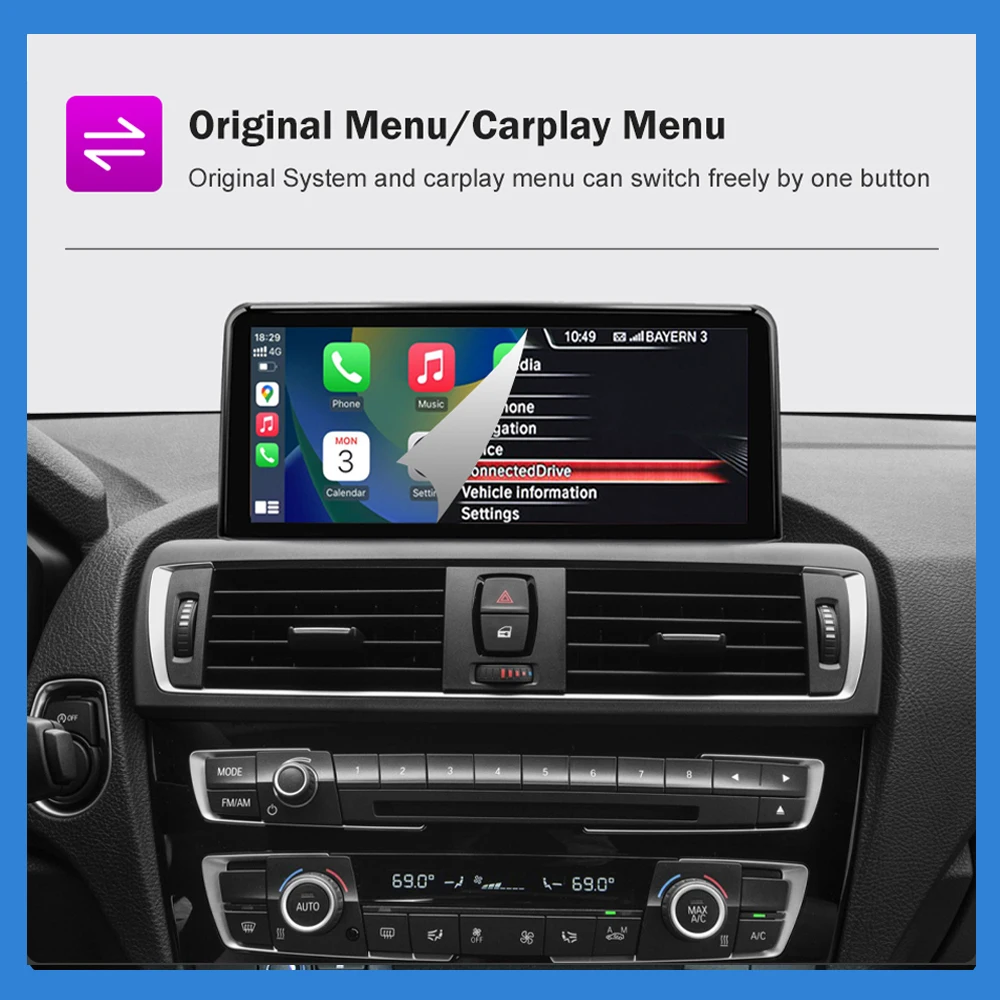
| Support the original system menu | NBT |
Productos relacionados
-

Radio retro 1 DIN GRANDnavi con Bluetooth, FM/AM y RDS
62.39€ Ver Oferta -

Radio 2 DIN BQCC para coche con CarPlay y Android Auto
68.39€ Ver Oferta -

Radio 1 DIN AINAVI 6,36″ para coche con CarPlay y Android Auto
53.94€ Ver Oferta -

Radio 2 DIN ESSGOO para coche con CarPlay y Android Auto
121.39€ Ver Oferta